Convert Synchronous to Asynchronous integration to fix timeout issue
Convert Synchronous to Asynchronous integration to fix timeout issue
In Oracle Integration Cloud (OIC), synchronous integrations are commonly used when we expect a quick response. However, when the processing time increases—because of loops, waits, or heavy logic—the integration often fails with a timeout error
Problem Statement: Timeout in Synchronous Integration
A synchronous integration expects a response within a limited time (usually around 5 minutes). If the integration runs longer than that, it fails with errors like:
500 Internal Server Error
Integration timed out
Step 1: Design a Synchronous Integration (Problem Scenario)
Create an App Driven Orchestrated Integration.
Name the integration as required (for example: Synchronous Integration).
Create a REST Adapter connection with type Trigger.
Drag the REST trigger as the starting point of the integration.
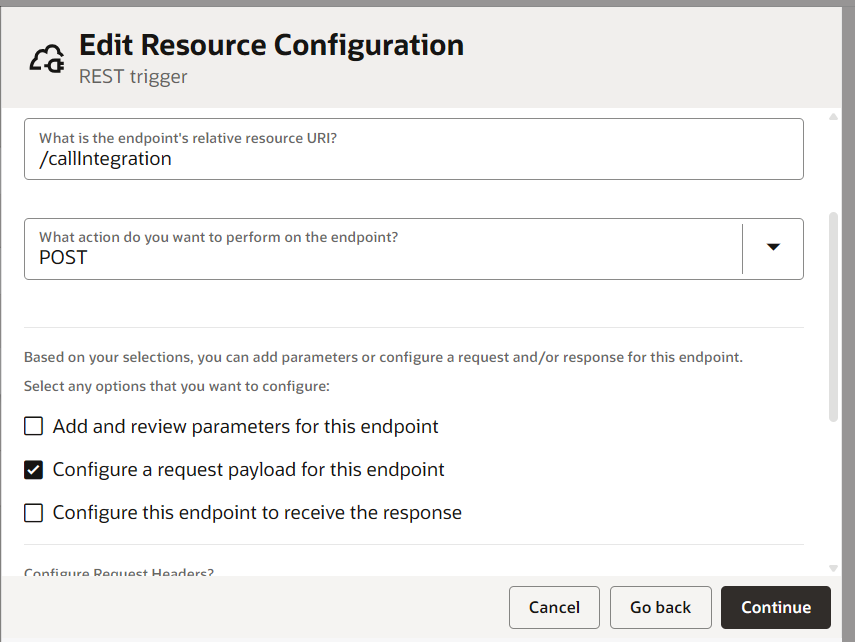
Configure the endpoint:
Method: POST
Enable Request and Response
Configure the Sample Request
Select JSON as the payload type.
Provide the following sample request:
{
“requestId”: “REQ_001”,
“items”: [
{ “itemId”: “ITEM_1” },
{ “itemId”: “ITEM_2” },
{ “itemId”: “ITEM_3” },
{ “itemId”: “ITEM_4” },
{ “itemId”: “ITEM_5” },
{ “itemId”: “ITEM_6” }
]
}
Configure the Sample Response
{
“Message” : “Success”
}
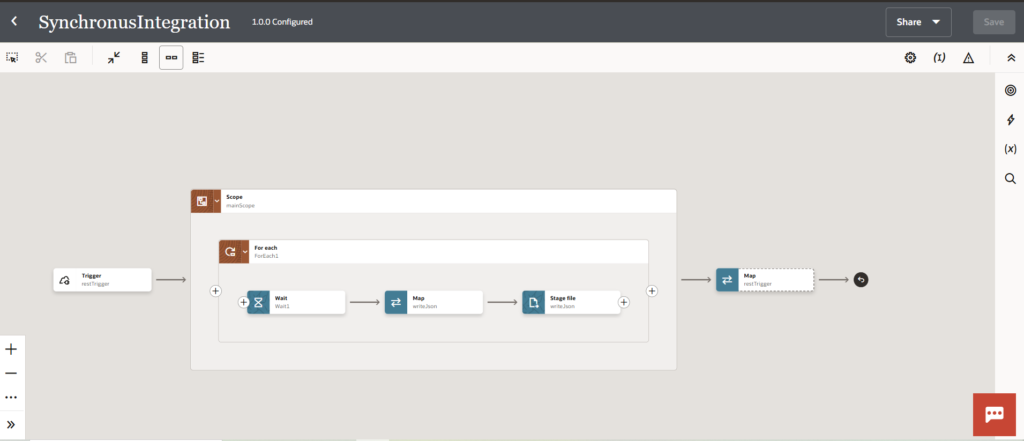
This is the final integration
Create an Asynchronous Integration (Solution)
Now we move the long-running logic into an asynchronous integration.
Steps:
Clone the existing synchronous integration.
Rename it (for example: Asynchronous Integration).
Edit the REST trigger:
Untick “Configure this endpoint to receive the response”
Keep all other settings the same
This integration will:
Accept the request
Perform long-running processing
Untick the configure this endpoint to receive the response and rest everything will be same
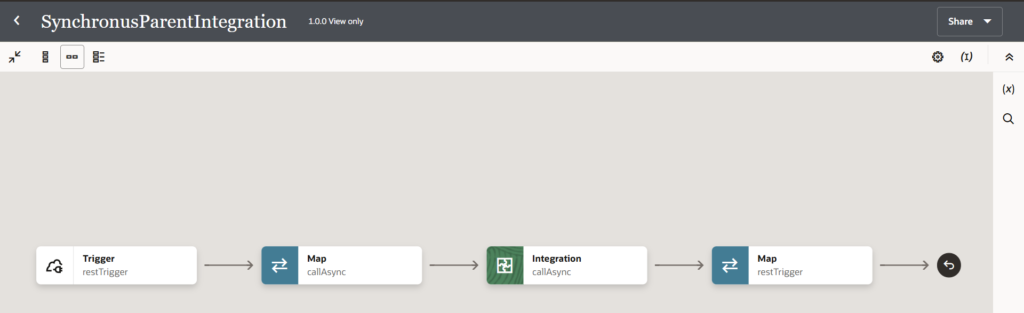
Step 6: Create a New Parent Synchronous Integration
Clone the original synchronous integration again.
Rename it (for example: SynchronousParentIntegration).
Delete all existing processing logic.
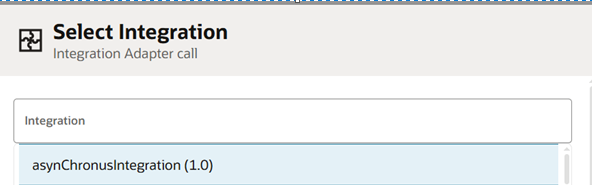
Add an integration insight / integration call to invoke the asynchronous integration.
Use POST
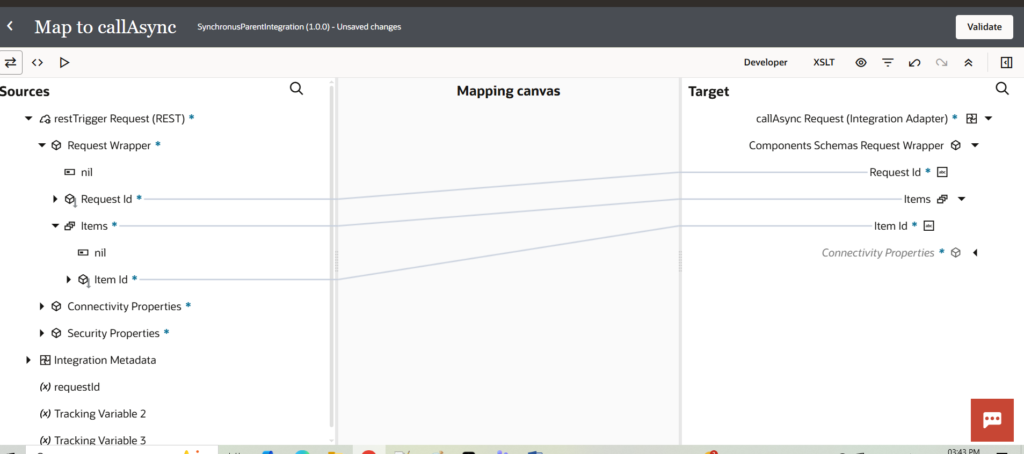
Map the request from the REST trigger to the asynchronous integration
Delete all the logic here of the previous integration and call the asynchronous integration we made
Select operation as post And Map the request from the restTrigger
Give the value of message in the response field and below is the final integration
Final Result
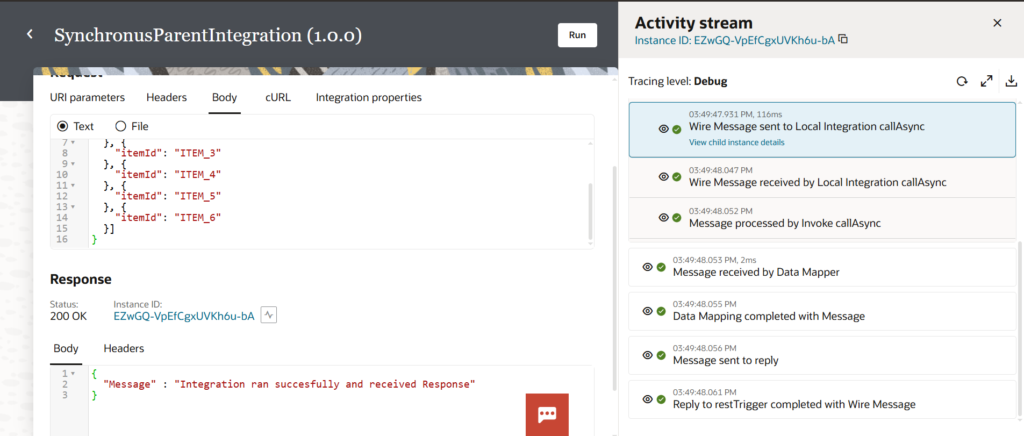
The synchronous parent integration responds immediately
The asynchronous integration runs in the background