DIFFERENT DATATYPES OF GLOBAL VARIABLE

Oracle Integration Cloud (OIC) uses global variables with different data types to store and manage data efficiently, and choosing the correct data type helps ensure clean, error-free integrations.

There are different types of data types available while creating a global variable in OIC. The data types are:

  1. String
  2. Number
  3. Boolean
  4. Date
  5. DateTime
  6. Object

1. String

String data type is used to store text values such as names, codes, IDs, messages, and statuses in OIC.

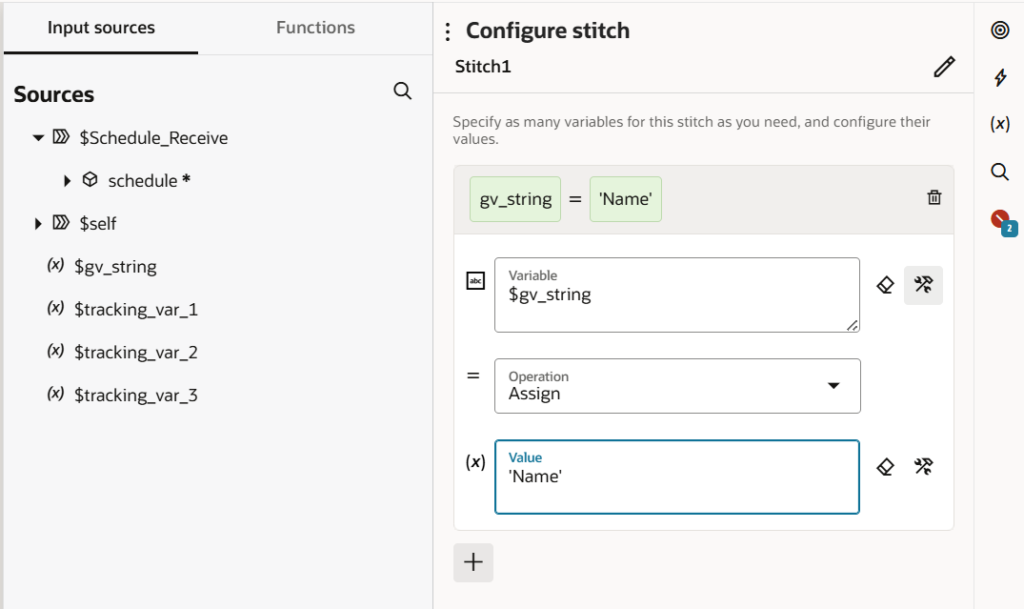
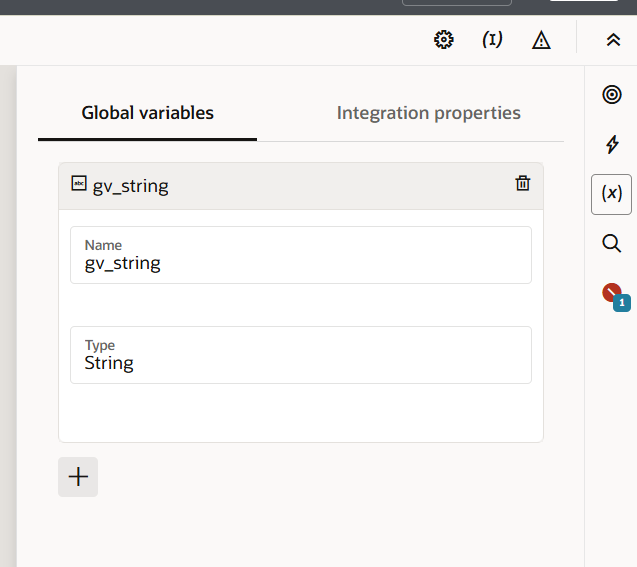
Click on (x) and create a global variable by chose datatype as a string. As shown in the screenshot.

Now, assign the value to this variable using Data stitch activity.

2. Number

Number data type is used to store numeric values such as quantities, amounts, totals, and counts in OIC. Number values are written without quotes (for example: 100, 120.06).

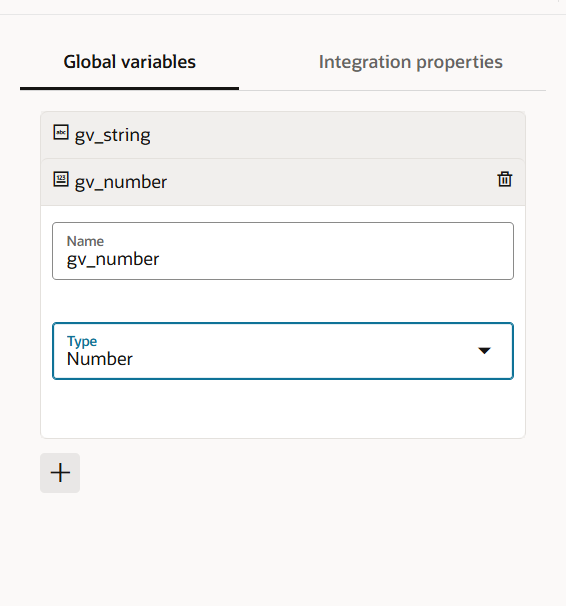
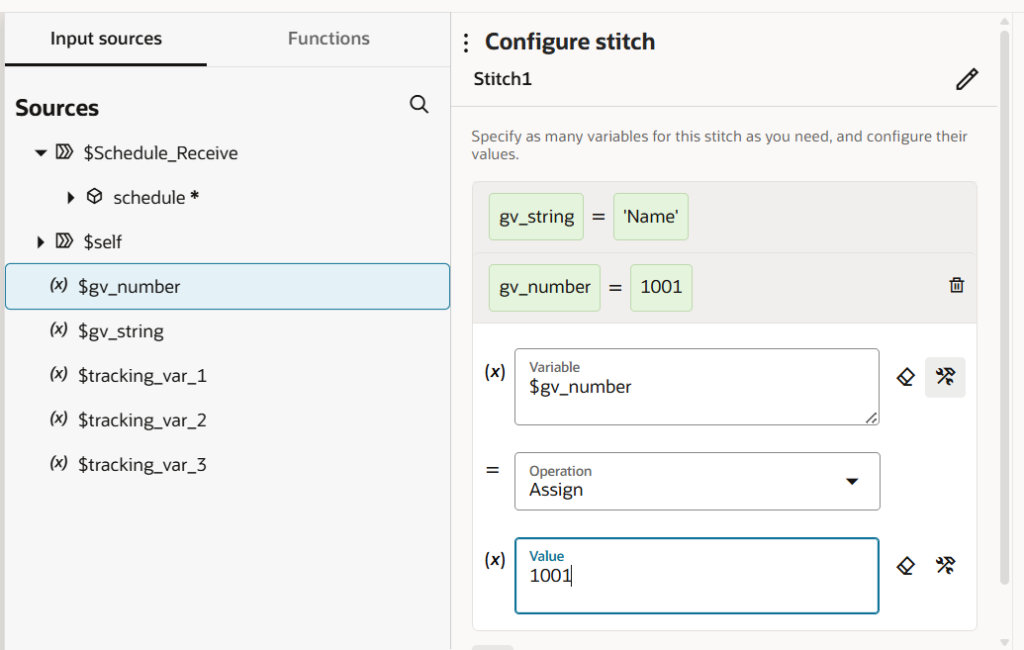
create a global variable by chose datatype as a Number. As shown in the screenshot.

Now, assign the value to this variable using Data stitch activity.

3. Boolean

Boolean data type is used to store true or false values in OIC. It is mainly used for conditions, flags, and decision-making logic.

Step 1: Create a REST Trigger
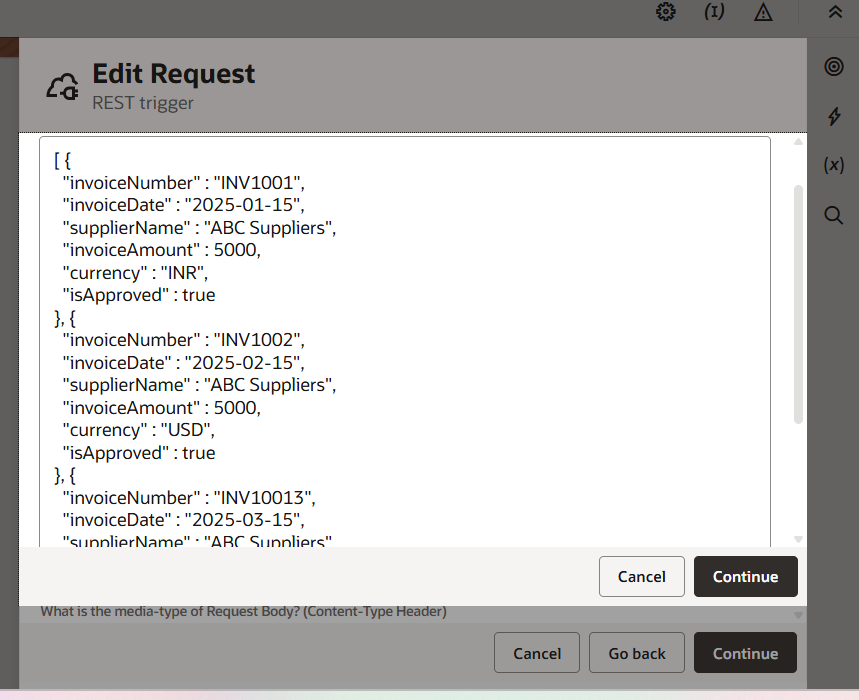
First, we create a REST trigger and define a request payload that contains a list of invoices. Each invoice includes invoice number, invoice date, supplier name, invoice amount, currency, and approval status.

Sample payload:

[

  {

    “invoiceNumber”: “INV1001”,

    “invoiceDate”: “2025-01-15”,

    “supplierName”: “ABC Suppliers”,

    “invoiceAmount”: 5000,

    “currency”: “INR”,

    “isApproved”: true

  },

  {

    “invoiceNumber”: “INV1002”,

    “invoiceDate”: “2025-02-15”,

    “supplierName”: “ABC Suppliers”,

    “invoiceAmount”: 5000,

    “currency”: “USD”,

    “isApproved”: true

  },

  {

    “invoiceNumber”: “INV10013”,

    “invoiceDate”: “2025-03-15”,

    “supplierName”: “ABC Suppliers”,

    “invoiceAmount”: 5000,

    “currency”: “INR”,

    “isApproved”: true

  }

]


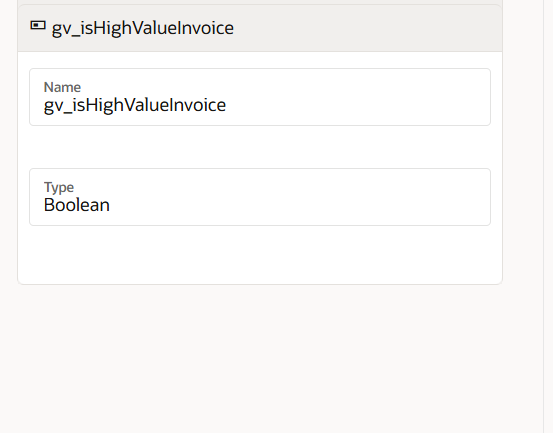
Step 2: Create a Boolean Global Variable
Create a global variable named gv_isHighValueInvoice and set its data type as Boolean.
This variable will be used to store true or false based on the invoice amount.

Step 3: Use For Each Loop
After receiving the payload, we use a For Each loop to process each invoice record one by one.

Step 4: Add Switch Action
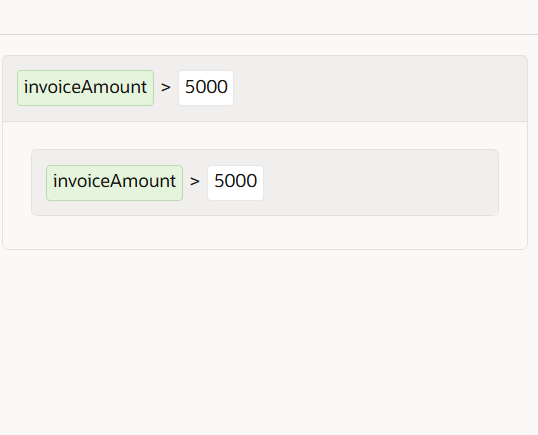
Inside the For Each loop, we add a Switch action and set the condition:
invoiceAmount > 5000

Step 5: Assign Boolean Value Using Stitch

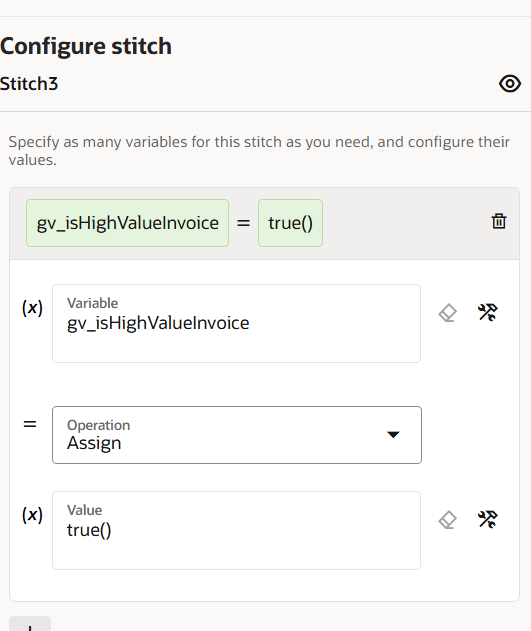
  • If the condition is true, we use a Stitch action and assign
    gv_isHighValueInvoice = true()
    The true() function is dragged from the Functions section.
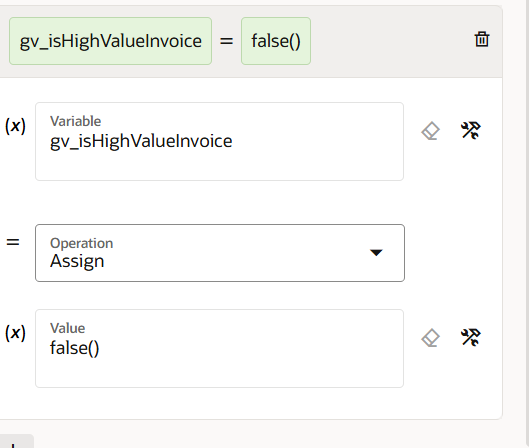
  • In the Otherwise path, we use Stitch again and assign
    gv_isHighValueInvoice = false()
    The false() function is also dragged from the Functions section.

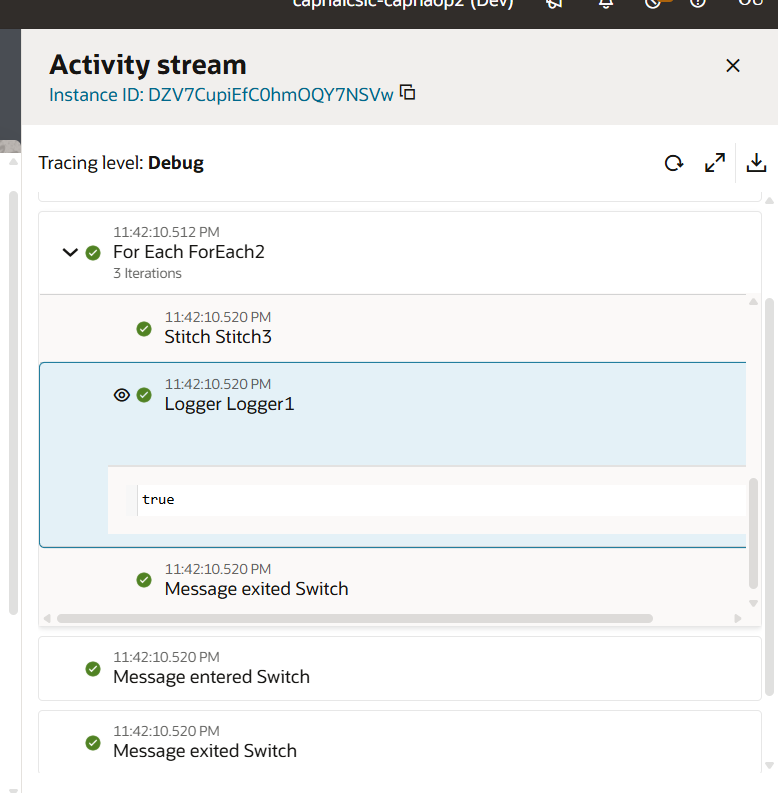
Output

  • Invoices with amount greater than 5000 are marked as high value (true)
  • Invoices with amount less than or equal to 5000 are marked as not high value (false)


Now, assign the value to this variable using Data stitch activity and drag and drop true or false from functions.

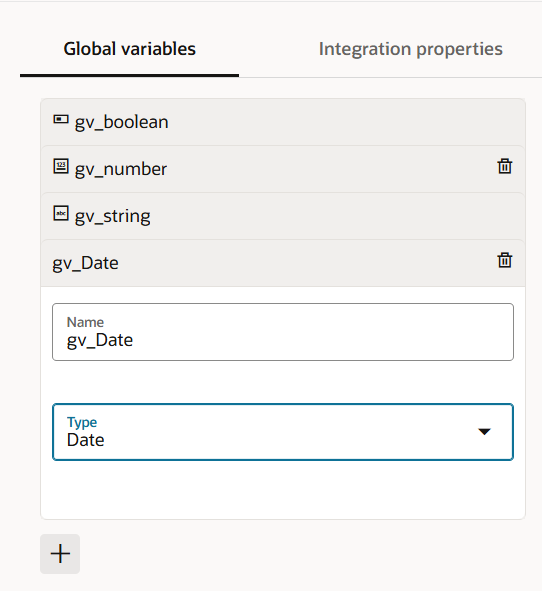
4. Date

Date data type is used to store only the date value (year, month, and day) in OIC, without time.

create a global variable by chose datatype as a Date. As shown in the screenshot.

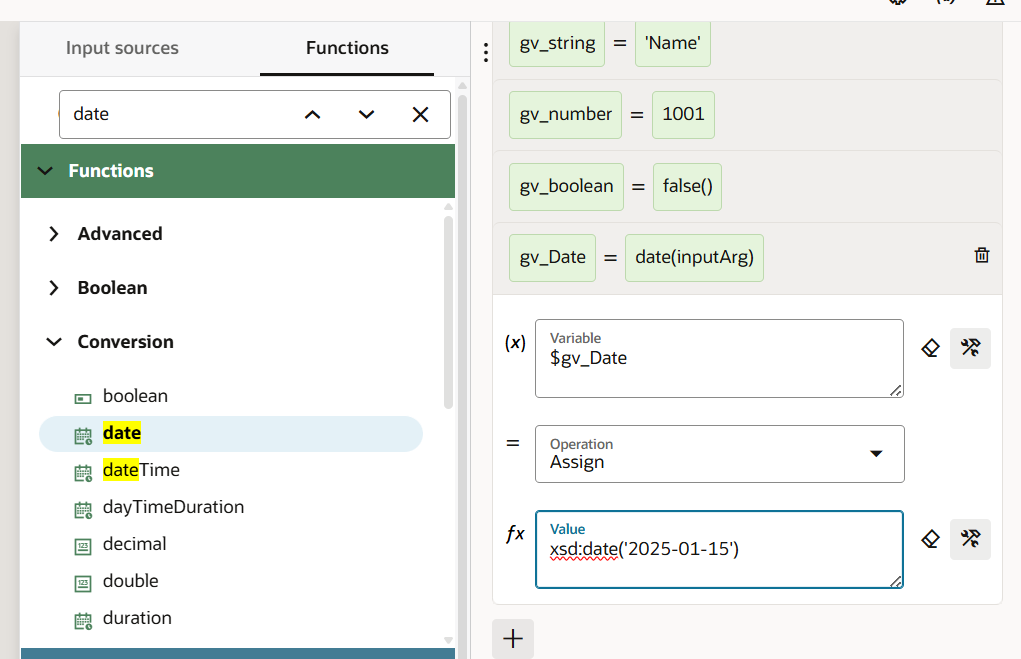
To assign a fixed date to a Date variable in OIC, use the Expression Builder and the xs:date() function.

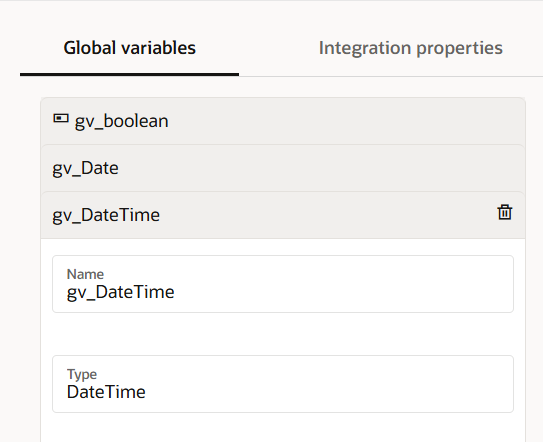
5. DateTime

DateTime data type is used to store both date and time values in OIC.

create a global variable by chose datatype as a DateTime. As shown in the screenshot.

To assign a fixed date to a Date variable in OIC, use the Expression Builder and the xs:dateTime() function

6. Object:

The Object data type in Oracle Integration Cloud (OIC) is used to store structured data with multiple related fields. It is mainly used when working with REST API request or response payloads that contain complex data.

In our senario, An external REST API sends a list of invoices as an array.
The requirement is to filter invoices with currency = INR and store only those records for further processing.

Sample request payload:

[

  {

    “invoiceNumber”: “INV1001”,

    “invoiceDate”: “2025-01-15”,

    “supplierName”: “ABC Suppliers”,

    “invoiceAmount”: 5000,

    “currency”: “INR”,

    “isApproved”: true

  },

  {

    “invoiceNumber”: “INV1002”,

    “invoiceDate”: “2025-02-15”,

    “supplierName”: “ABC Suppliers”,

    “invoiceAmount”: 5000,

    “currency”: “USD”,

    “isApproved”: true

  },

  {

    “invoiceNumber”: “INV10013”,

    “invoiceDate”: “2025-03-15”,

    “supplierName”: “ABC Suppliers”,

    “invoiceAmount”: 5000,

    “currency”: “INR”,

    “isApproved”: true

  }

]

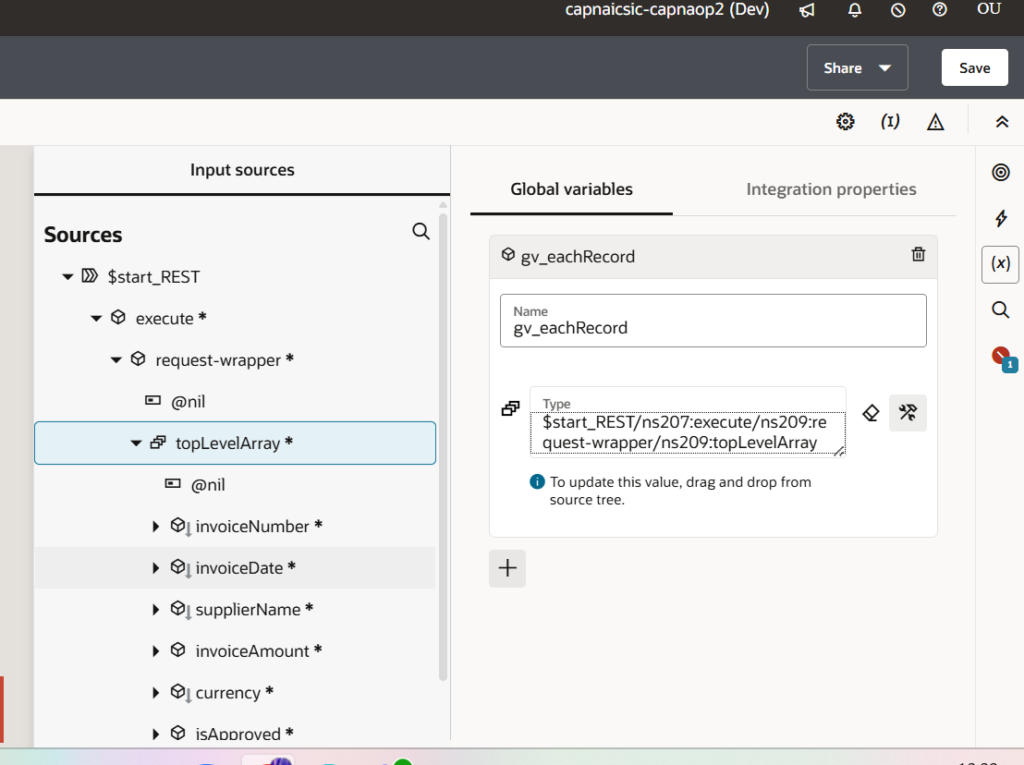
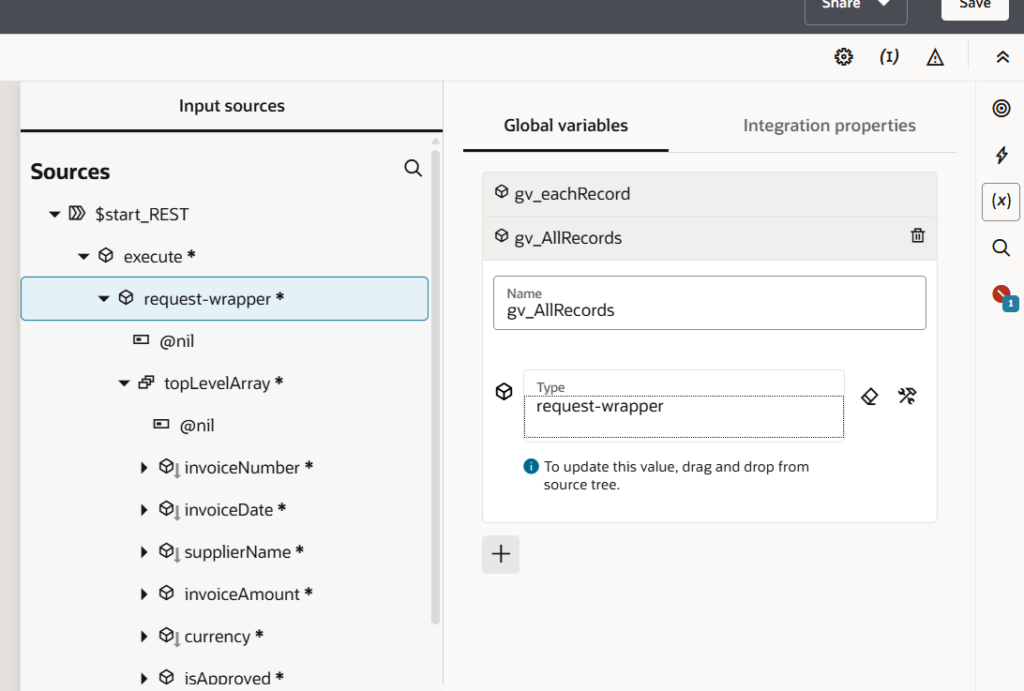
Global Variables Used

  • gv_eachRecord
    • Data type: Object
    • Purpose: Stores one invoice record at a time during processing.
  • gv_AllRecords
    • Data type: Object containing an Array
    • Purpose: Stores all filtered INR invoice records.

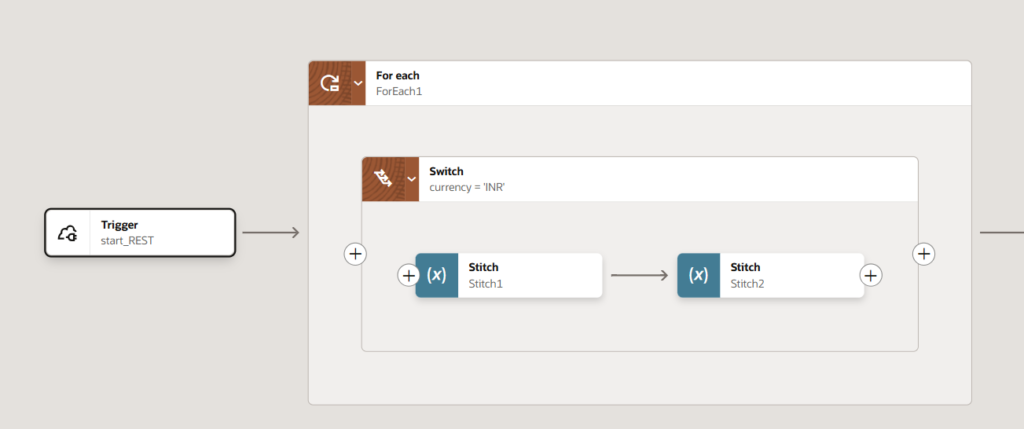
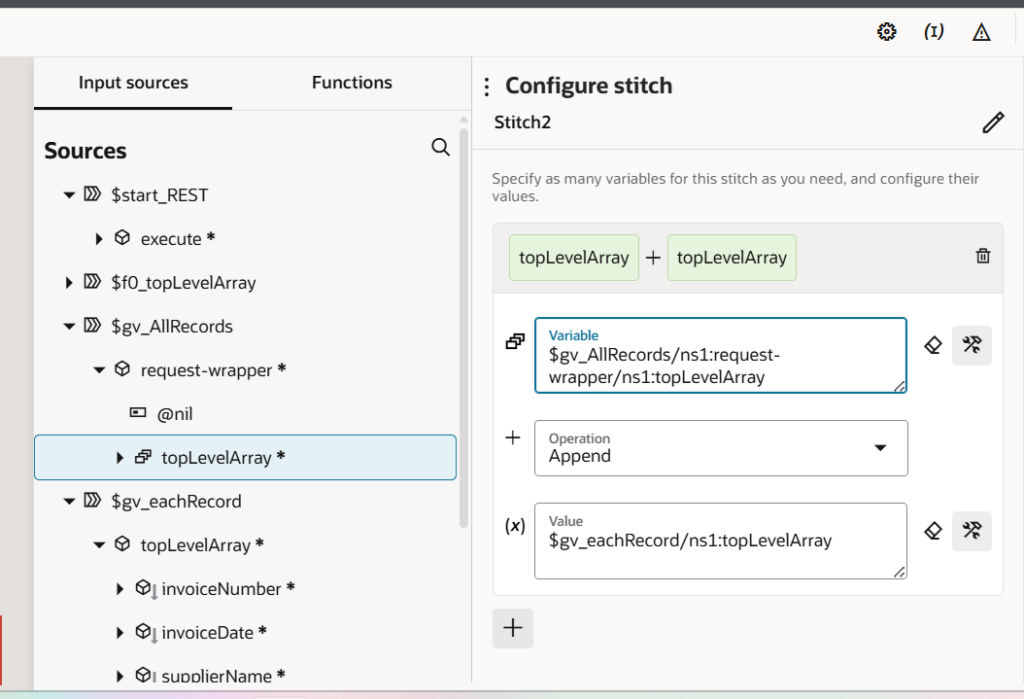
Flow

  1. The REST Adapter receives the request payload containing an array of invoice objects.
  2. A For-Each loop is created on the top-level array to process invoices one by one.
  3. Inside the loop, a Switch activity checks the currency field.

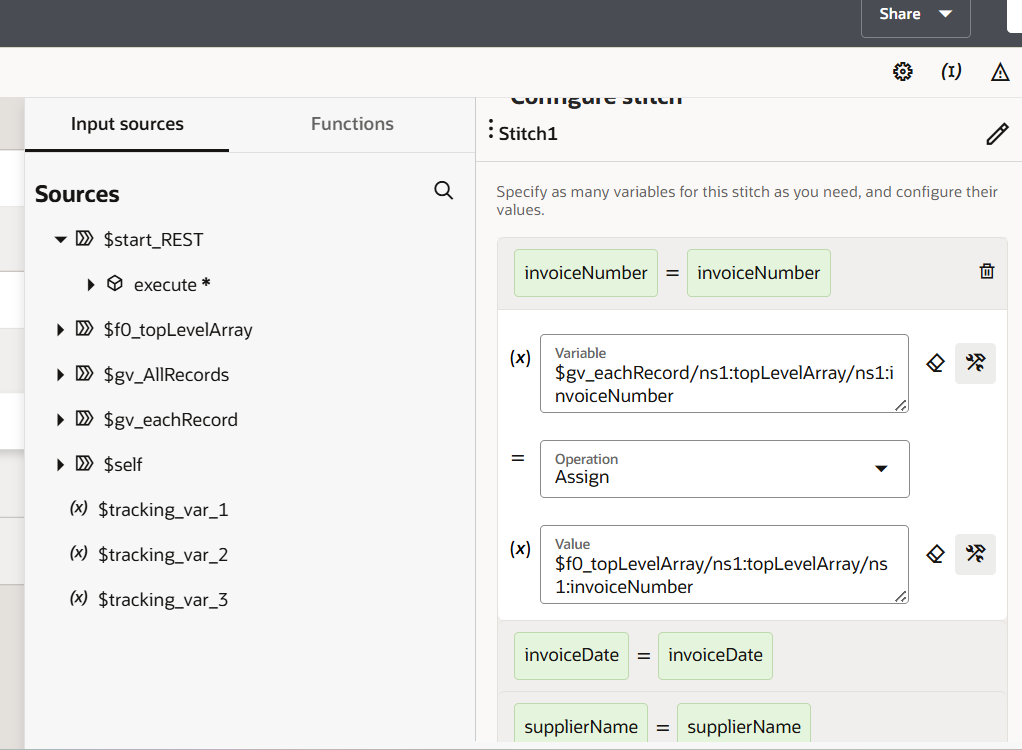
4. When the currency is INR, invoice details such as invoice number, date, supplier name, amount, currency, and approval status are assigned to the gv_eachRecord object.

5. After assigning values, the gv_eachRecord object is appended to the array inside gv_AllRecords using the Assign (Append) operation

6. This process continues for all records in the payload.

7. Only INR currency invoices are stored in gv_AllRecords.

Leave a Comment

Your email address will not be published. Required fields are marked *

Scroll to Top