Pagination in Oracle Integration Cloud (OIC) / GET large amount of Data by REST API

Introduction

Oracle Integration Cloud has a problem when we try to get an amount of data from REST APIs. This is because these APIs have limits on how data they can send at one time. When we use Oracle Integration Cloud to get a lot of data from REST APIs it can be really hard. This is because APIs like Oracle Fusion only send a bit of data at a time. For example, they might only send 100 records at a time. If we try to get much data at once the system might get slow or even stop working. This blog post will show us how to get a lot of data from the Oracle Fusion getPurchaseOrders REST API. We will use something called offset. Limit pagination with the REST Adapter and a while loop in Oracle Integration Cloud.

Problem Statement

Fetching Getting a lot of data from Oracle Integration Cloud is hard. This is because REST APIs like Oracle Fusion only send a bit of data at a time. If we try to get much data at once the system might get slow or even stop working. This can cause problems like results, high memory usage and integration errors. If we do not use pagination our integrations might have performance, scalability issues and failures in production environments.

What is Pagination

Pagination is a way to break up amounts of data into smaller pieces. We get these pieces one at a time. In REST APIs we use something called query parameters to control how data we get and where we start. This makes it easier to transfer data.

Understanding Offset and Limit

● Limit: The limit is how records we get at one time. For example, we might get 100 records
at a time.
● Offset: The offset is where we start. For example, if we want to get the 100 records our
offset would be 0.
● If we want to get the 100 records our offset would be 100.
● We add the limit to the offset each time. So if our limit is 100 and our offset is 0 our new
offset would be 100. Increment should be like offset = offset + limit.

Example REST API Request

If we want to get purchase orders from Oracle Fusion we use the GET endpoint.
The endpoint is https://{fusion
instance}/fscmRestApi/resources/11.13.18.05/purchaseOrders.

Step-by-Step Implementation in Oracle Integration Cloud

STEP 1: Creating the Integration
First we create an integration in Oracle Integration Cloud. Named could be anything like “We call it FetchLarge_PurchaseOrder_Pagination”.

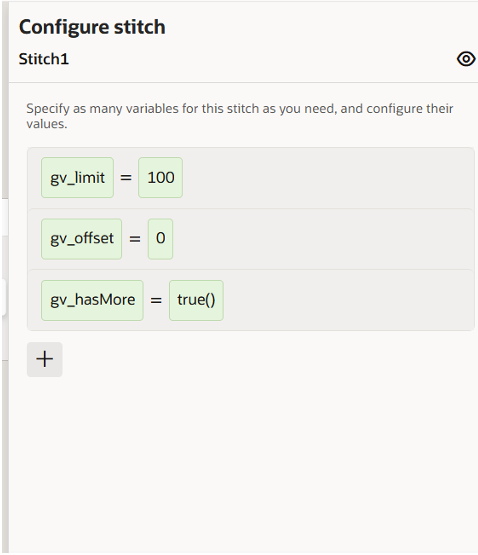
STEP 2: Add variables
We add some variables to our integration. We have gv_offset, gv_limit and hasMore. The gv_offset is where we start the gv_limit is how records we get at a time and hasMore tells us if there is more data to get. 

STEP 3: Configuring the REST Adapter
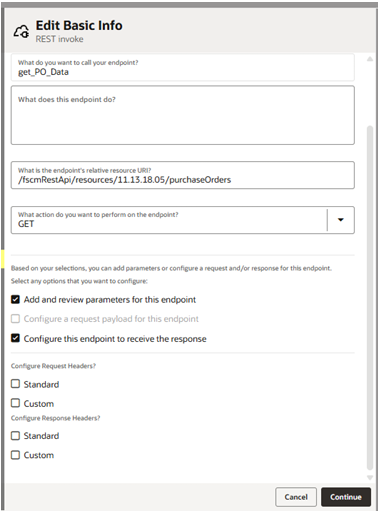
1. We add a REST Adapter to our integration. We call it Get PO Data.
2. The endpoint is https://{fusion
instance}/fscmRestApi/resources/11.13.18.05/purchaseOrders.
3. The method is GET.

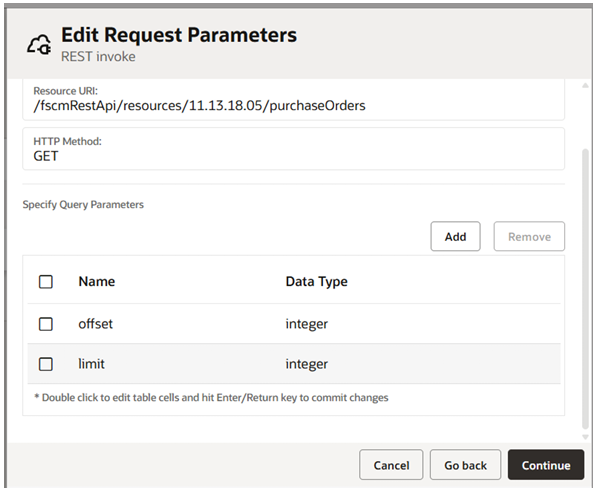
4. We add some query parameters: offset and limit.

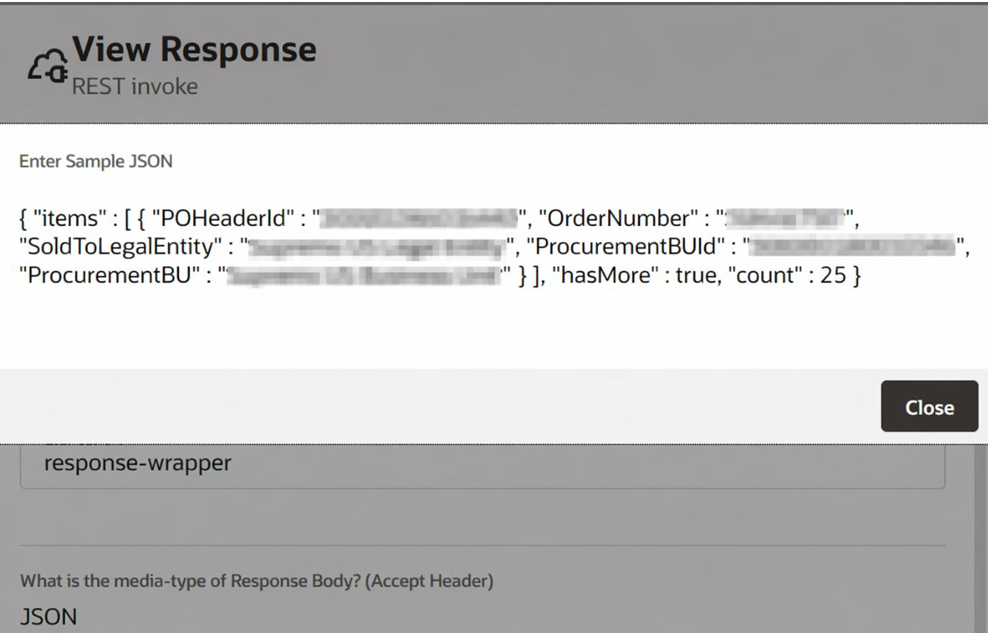
5. We also add a sample JSON payload. The payload has some information about the
purchase orders. It has the POHeaderId, OrderNumber, SoldToLegalEntity,
ProcurementBUId and ProcurementBU.
Payload:
{
“item”: [ {
“POHeaderId”: 30*************,
“OrderNumber”: “SampleOrderNumber”,
“SoldToLegalEntity”: “US Legal Entity”,
“ProcurementBUId”: 3000************,
“PeocurementBU”: “US Business Unit”
} ],
“hasMore”: true,
“count”: 25
}

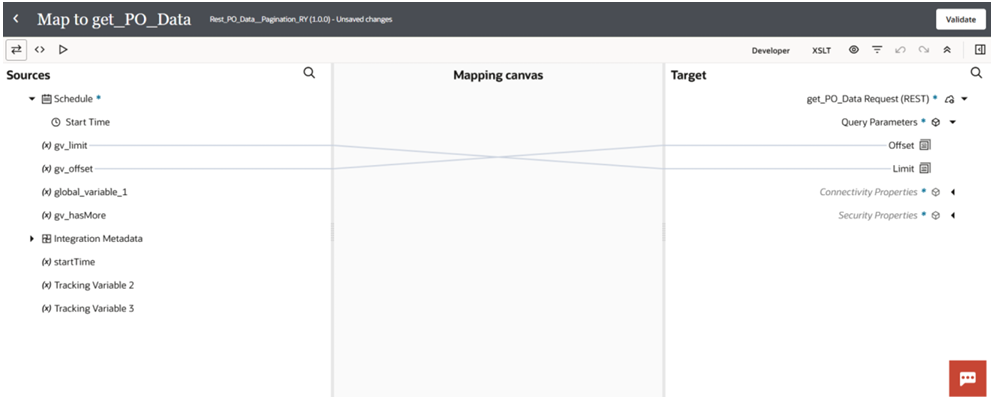
STEP 4: In REST Adapter Mapper
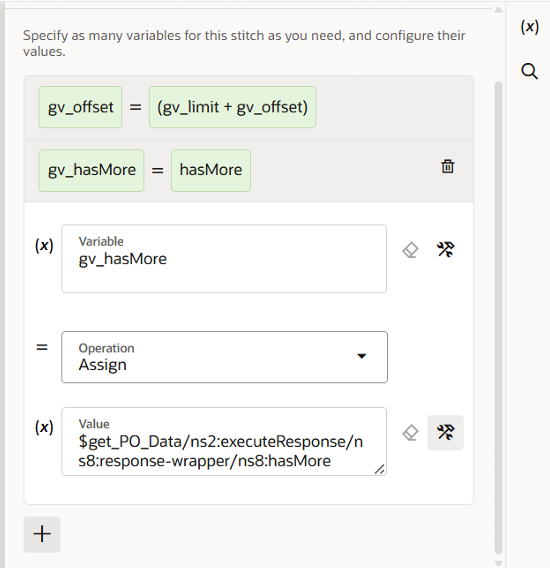
We map the fields from the REST Adapter response to our variables. We update the variables
like gv_offset and hasMore.

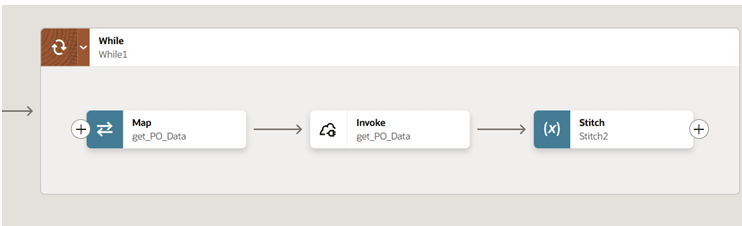
Implementing a While Loop
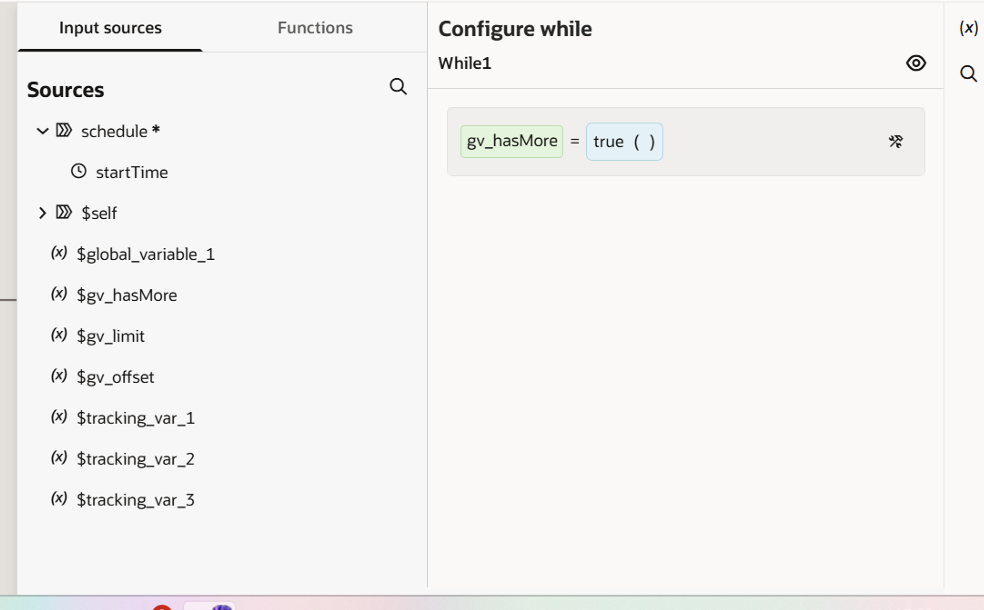
We add a while loop to our integration. The condition is $gv_hasMore = true()

We update the variables, like gv_offset and hasMore. Like gv_offset = (gv_limit + gv_offset)
and in gv_hasMore = map hasMore Field from rest adapter response.

Inside the loop we invoke the REST Adapter process the items and update the variables.

Conclusion
Using pagination with offset and limit in Oracle Integration Cloud is very helpful. It helps us
get a lot of data from REST APIs without any problems. We can try it out in our Oracle
Integration Cloud instance. Use it for other endpoints. This will help us get the data we need
without any issues. Oracle Integration Cloud is a powerful tool and using pagination with
offset and limit makes it even more useful.

Leave a Comment

Your email address will not be published. Required fields are marked *

Scroll to Top